How to use putty and ssh:
-
Download the latest version of putty from the putty download page. You’ll want
putty.exefrom the release version for Windows on Intel x86 section (direct download link) -
Put
putty.exesomewhere in your$PATH, I normally just usec:\windows -
Run
putty.exe -
Fill in the “Host Name (or IP address)” field with the username and hostname or IP address (eg
username@hostnameorusername@ipaddress):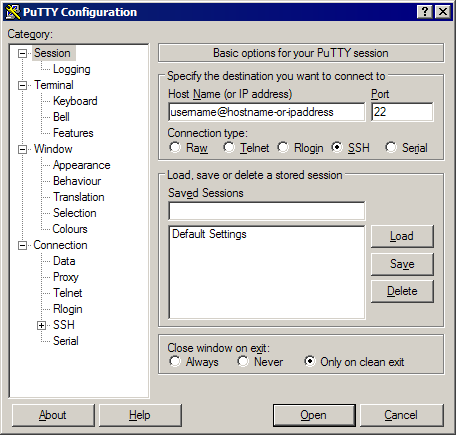
-
Make sure the Connection tye is set to SSH
-
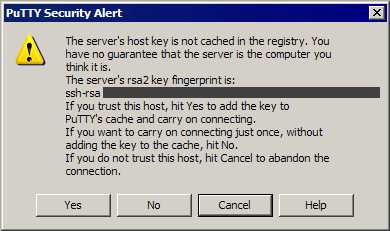
Click the Open button. If it’s the first time connecting to the host, you’ll see a dialog box like this:
-
If everything has gone well, you’ll connect as
usernameand be able to type in your password: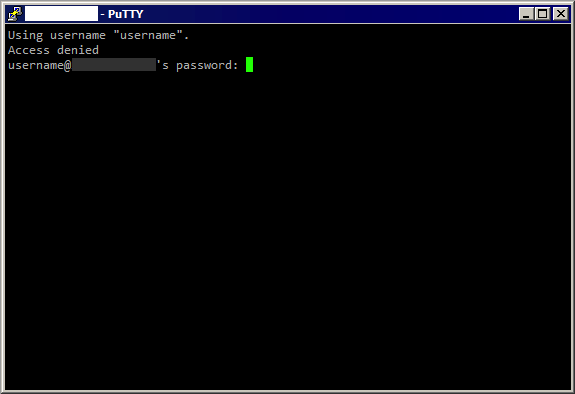
-
You should now be connected to the server